
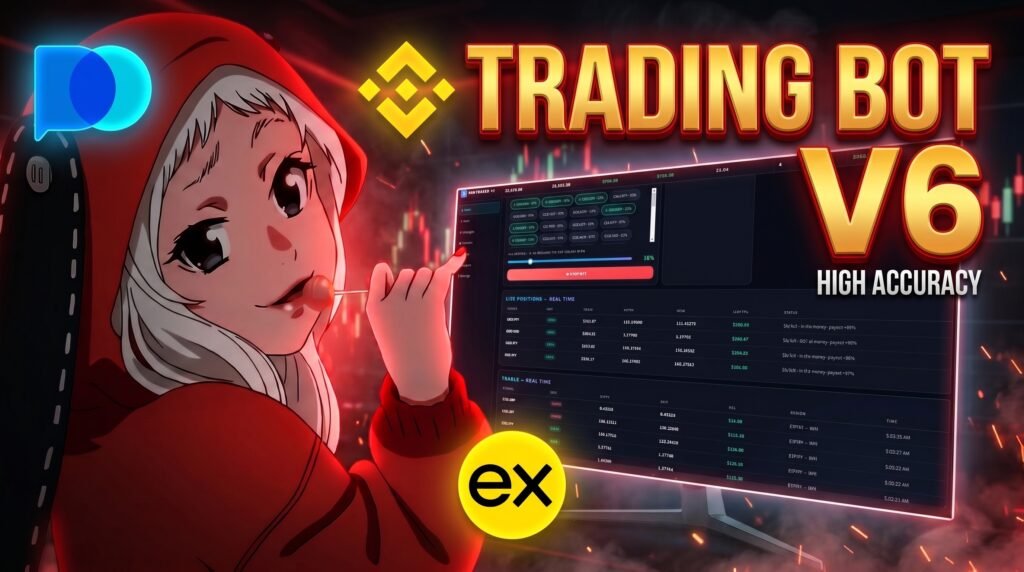

SVG Trader V6: Advanced Trading Bot for Automated Market Analysis
Trading has changed a lot over the last few years, with more traders turning to software to help them monitor markets, follow strategies, and manage trading activity without having to sit in front of charts all day. Among the trading tools getting attention, SVG Trader V6 is designed to bring strategy selection, market scanning, trade settings, and live performance tracking together in one simple dashboard.
Instead of constantly switching between charts, trading platforms, and different settings, the software puts the main controls and information in one place. You can choose a strategy, select the market you want to work with, adjust the allocation and expiry settings, and then monitor the bot while it runs.
In this guide, we’ll take a closer look at SVG Trader V6, how the trading bot works, what features are included, how to use its main settings, and what you should know before using automated trading software.
What Is SVG Trader V6?
👉 Download the latest version here
SVG Trader V6 is a trading bot built around strategy-based market scanning and automated trading.
When you open the software, the first thing you see is the main dashboard. This is where most of the important information is displayed.
You can see your equity, available cash, P&L, positions, win rate and bot status without having to open separate pages.
From there, you can choose your trading strategy, select a currency pair, choose an expiry time and adjust the trade allocation.
Once everything looks good, you can start the bot and monitor the activity directly from the dashboard.
SVG Trader V6 Dashboard
The dashboard is basically the control center of the software.
At the top, you’ll find the main account statistics.
There’s your total equity, available cash, today’s P&L, realized P&L, unrealized P&L, current positions and win rate.
The bot status is also displayed there, so you can quickly tell whether the system is running or not.
I wanted this part to stay straightforward because there’s really no reason to hide basic information behind a bunch of buttons.
If you want to know what’s happening with the account, you should be able to see it immediately.
Trading Strategy
One of the main controls is the strategy selector.
SVG Trader V6 includes different strategy options depending on the version, including the VWAP Momentum setup shown in the software.
VWAP stands for Volume Weighted Average Price. It’s a commonly used technical-analysis indicator that takes trading volume into account when calculating an average price.
The momentum side of the setup is focused on identifying stronger price movement.
The important thing to remember is that a strategy is still a strategy. A displayed win rate or previous result doesn’t mean the next trade will automatically go the same way.
Markets can change very quickly.
Choose Your Currency Pair
You can select the currency pair you want directly from the dashboard.
Instead of typing everything manually, just open the selector and choose the market you want.
The available pairs are displayed inside the software, along with the relevant percentage information.
So if you want to switch from one pair to another, you can do it straight from the dashboard.
I’m not going to waste half the article listing every pair one by one when you can literally see them in the software.
Pick one, click it, and it’s selected.
Simple.
Expiry Time Settings
The expiry setting is another option you can change before starting the bot.
The available choices include short periods such as 5 seconds, 15 seconds and 30 seconds, as well as 1 minute and 5 minutes.
The expiry you choose depends on the setup and the type of trading you’re doing.
Different timeframes can behave completely differently, especially when the market is moving quickly, so this isn’t something you should change randomly without understanding what it does.
Allocation Setting
Then there’s the allocation slider.
This controls the percentage of the available balance that is allocated to a trade.
For example, if you set the allocation to 10%, the configured trade amount is based on that percentage.
You can simply drag the slider to change it.
This is probably one of the easiest parts of the software because you don’t need to type numbers into multiple boxes.
Just move the slider until you have the setting you want.
But obviously, this is also an important risk setting.
Using a larger percentage means you are putting more money at risk on each trade, so don’t increase it just because a few previous trades went well.
How to Start the Trading Bot
Once you’ve selected everything, starting the bot is pretty straightforward.
Choose your strategy.
Choose your market.
Set the expiry.
Set your allocation.
Then hit Start Bot.
Once the bot is running, the dashboard begins displaying its activity.
You can see the bot status and monitor the information directly from the main screen.
And this is where the software becomes much more interesting because you can actually watch what’s happening instead of just clicking Start and wondering whether anything is going on.
Live Positions
When there is an active position, it appears in the Live Positions section.
This gives you a quick way to see what’s currently open.
You can keep the dashboard open and watch the information change as the trading activity continues.
Having this information visible is useful because you don’t have to keep switching between different screens.
Everything is right there.
Real-Time Trades
The Trades section shows the trading activity generated while the bot is running.
As new trades appear, you can follow them directly from the dashboard.
This also makes it easier to see how the account statistics are changing.
If a position closes, the relevant P&L information can move from the unrealized side into the realized results.
So you get a much better picture of what is actually happening rather than only looking at one number.
Realized P&L vs Unrealized P&L
If you’re new to trading software, these two numbers can be confusing.
Realized P&L is the profit or loss from positions that have already been closed.
Unrealized P&L is the current estimated profit or loss from positions that are still open.
For example, if an open position is currently showing a $20 gain, that doesn’t necessarily mean you’ve locked in a $20 profit.
Once the position closes, the result becomes realized.
That’s why it’s useful to have both numbers visible on the dashboard.
How To Use SVG Trader V6
Getting started doesn’t require a complicated setup.
First, open the software and check the dashboard.
Next, choose the strategy you want to use.
After that, select the currency pair from the available markets.
Choose the expiry time and then adjust the allocation slider.
Before pressing Start Bot, take a second to check everything.
Once you’re happy with the settings, click Start Bot.
From there, keep an eye on the dashboard, live positions and trades.
SVG Trader V6 Free Download
The free version of SVG Trader V6 is available through the download provided with this article.
👉 Download SVG Trader V6 Free
Before installing any trading software, make sure you know where it came from and what you’re installing.
It’s also a good idea to keep your computer protected and never give unknown applications sensitive information such as passwords, private keys or wallet seed phrases.
Is SVG Trader V6 Profitable?
There’s no honest way to promise that a trading bot will always make money.
Trading doesn’t work like that.
A strategy can perform well during one period and perform badly during another. Even a strategy with a high win rate can have losing trades.
That’s why you shouldn’t look at one percentage and assume it tells the whole story.
Things like drawdown, average win, average loss, risk per trade and overall performance matter too.
SVG Trader V6 Win Rate
The software displays a win-rate statistic as part of the dashboard.
It’s useful information, but it shouldn’t be treated as a prediction.
For example, having 80 winning trades out of 100 doesn’t automatically mean the strategy is profitable if the losing trades are much larger.
When looking at trading performance, it’s better to look at the bigger picture instead of focusing on one number.
Is Automated Trading Safe?
Automated trading can save time and make certain processes easier, but it doesn’t remove the risks involved in trading.
Things can go wrong.
Markets can move unexpectedly. A strategy can stop performing as expected. Technical problems can happen. And incorrect settings can result in larger losses than you intended.
Automation doesn’t mean there is no risk.
It’s still your money, so make sure you understand what the software is doing before using real funds.
SVG Trader V6 for Beginners
If you’ve never used a trading bot before, the amount of information on some platforms can be overwhelming.
That’s one of the reasons I wanted the V6 dashboard to stay simple.
The basic setup is straightforward:
Choose your strategy.
Choose your market.
Set the expiry.
Adjust the allocation.
Start the bot.
Then monitor the results.
Of course, understanding trading itself takes more than five clicks, but at least the software doesn’t make the interface harder than it needs to be.
Manual Trading vs Automated Trading
With manual trading, you’re responsible for watching the market and making the decisions yourself.
With automated trading, the software follows the conditions and settings you’ve configured.
Manual trading gives you direct control over every decision.
Automated trading can handle the configured process for you and allow you to monitor the activity through the dashboard.
Neither one guarantees better results.
The strategy, market conditions, risk management and execution all matter.
Things To Know Before Using a Trading Bot
Before you start using any automated trading software with real money, take some time to understand it.
Don’t increase your allocation simply because you’ve had a few successful trades.
Don’t assume a high win rate means there won’t be losing trades.
And definitely don’t use money you need for rent, bills, savings or other important expenses.
If you have access to a suitable demo or testing environment, that’s a much better place to learn how a system behaves before taking unnecessary financial risk.
Frequently Asked Questions
What is SVG Trader V6?
SVG Trader V6 is a trading bot interface that combines strategy selection, market selection, allocation settings, account statistics and live trade monitoring into one dashboard.
Is SVG Trader V6 free?
A free version of the software is provided through the download associated with this article.
What strategy does SVG Trader V6 use?
The available strategies depend on the software version. The interface shown in this guide includes VWAP Momentum.
Can I choose different currency pairs?
Yes. The dashboard provides a currency-pair selector so you can choose from the available markets.
What does the allocation setting mean?
The allocation setting controls the percentage of the available balance configured for a trade.
What is realized P&L?
Realized P&L represents the profit or loss from trades that have already been closed.
What is unrealized P&L?
Unrealized P&L represents the current estimated profit or loss of positions that are still open.
Does SVG Trader V6 guarantee profits?
No. Trading always involves risk, and no trading bot or strategy can guarantee future profits.
Can beginners use a trading bot?
Beginners can learn how trading bots work, but they should understand the risks and the software before using real money.
Related Articles
- Trading Bot Software 2026
- Best Trading Bots for Beginners
- Automated Trading Guide
- Forex Trading Bot Guide
- VWAP Trading Strategy Explained
- Momentum Trading Guide
- Trading Bot Risk Management
- Realized vs Unrealized P&L Explained
- How Automated Trading Works
- Forex Currency Pairs Guide
- Algorithmic Trading for Beginners
- Trading Software Guide 2026
Final Thoughts
SVG Trader V6 is mainly about making the whole trading-bot experience easier to follow.
The important numbers are at the top, the main settings are easy to reach, and the live positions and trades are visible while the bot is running.
You don’t need to jump around different pages just to see what the software is doing.
If you want to try the free version, you can use the download provided above.
Just keep in mind that the software doesn’t remove the risk from trading. Make sure you understand the settings, manage your risk and never trade more than you can afford to lose.
Disclaimer
This article is for educational and informational purposes only and does not constitute financial or investment advice. Trading involves substantial risk and you may lose money. No trading bot, strategy, win rate, statistic, historical result or performance figure can guarantee future results or profits. Any balances, trades, statistics or demonstrations shown should not be interpreted as guaranteed performance. Always do your own research, understand the risks involved and never trade money you cannot afford to lose.